CDFW License
- 4.0
- Rating
- 50.00K
- Installs
- Free
- Price
 Analysis by App-foxy
When I need to deal with a California fishing or hunting license, I would rather use a focused official tool than search through a general outdoor app and hope I have found the right state service. CDFW License is built around that specific job: applying for a California Department of Fish and Wildlife license. That narrow purpose is both its biggest strength and the first thing I would consider before installing it.
I approached it as a practical sports utility rather than an entertainment app. It is free, aimed at everyone, and published by RA Outdoors, LLC d/b/a Aspira. Its public reception is solid without being overwhelming, with a 4.0 average from around 115 ratings and more than 50 thousand installs. That tells me it has reached a useful audience, while also reminding me that this is a specialized service app, not an all-purpose outdoor companion with a huge community behind it.
Choosing the right tool for a California license
The first decision is simple: do you need a California Department of Fish and Wildlife license application, or are you looking for help with the wider outdoor activity? If the immediate task is handling licensing, this app makes more sense than a weather app, a fishing log, a map service, or a general hunting platform. Those alternatives may be excellent for planning a trip, but they are not substitutes for a state-specific application workflow.
You May Also Like

 AccuWeather: Weather Radar
AccuWeather Review: A Quick, Clear Forecast for Everyday Decisions
For everyday plans, the best forecast is the one you can understand quickly. AccuWeather makes rain timing, radar, and local conditions easy to act on, with a few trade-offs.

 Hill Climb Racing
Why Hill Climb Racing Still Turns Crashes Into One More Run
A tiny car, a bumpy hill and one more upgrade: Hill Climb Racing keeps resurfacing because its simple chaos makes every near-miss feel personal.

 AliExpress - Shopping App
AliExpress Makes Global Shopping Feel Personal, but Shoppers Bear the Risk
AliExpress turns a global marketplace into a pocket-sized discovery engine. Its reach is useful, its shopping loop compelling, and its trade-offs easy to miss.

 Lords Mobile: Kingdom Wars
Lords Mobile Is a Kingdom-Building Routine, Not a Quick Match
A case-by-case verdict on the building, battles, device demands, and social commitments that make Lords Mobile rewarding for some players and exhausting for others.

 PDF Scanner app - TapScanner
TapScanner Makes Paperwork Easier to Capture, Check, and Share
TapScanner makes scanning with a phone feel less like a rescue operation and more like a dependable step in getting work done. Its capture tools are useful, though not flawless.

 Block Blast!
 Shows How Much a Puzzle Game Can Leave Out
A quiet grid game shows why puzzle players increasingly value instant clarity, repeatable skill and low-pressure play—and where the genre still needs to catch up.
More From Our News Desk
View All News


I would also separate the licensing task from the rest of my preparation. An app like this can be the administrative part of a fishing or hunting day, while maps, regulations, weather forecasts, and equipment checklists remain separate concerns. That division is important because it prevents disappointment: installing this app should not be treated as installing a complete guide to California’s outdoors.
The most useful decision criterion is urgency. If I am preparing for a weekend trip, I would open the app before leaving home, not when I am already standing at a trailhead or boat launch. A license application is the kind of task where a calm connection, enough time to read each screen, and access to any required personal details are more valuable than a flashy interface. I would keep the final confirmation or license information available before heading out rather than assuming I can sort everything out at the last minute.
Another criterion is device compatibility. The app requires Android 8.0 or later, so anyone using an older Android phone should check that point before planning around it. On a reasonably current device, the low technical requirement makes it accessible to many users, but compatibility is still worth checking if the phone belongs to a family member, sits in a vehicle, or has not been updated for years.
Why the focused approach is useful
What I like most is the reduction in searching. A general web search can produce unofficial explanations, outdated discussions, retailer pages, and unrelated outdoor services before I reach the correct licensing path. A dedicated application gives the task a clearer home. For a first-time applicant, that can reduce the chance of starting with the wrong service simply because a search result looked convenient.
This focus is especially helpful for people who do not buy licenses often. Regular anglers and hunters may already know the process and have their preferred routine. Occasional visitors, parents organizing a trip, or someone who has moved to California may benefit more from having a recognizable state-oriented application than from adding another broad sports platform to their phone.
There is also a practical organization benefit. I would use the app as the starting point for licensing, then keep trip planning in the tools I already trust. That creates a clean workflow: confirm the license task first, prepare the outing separately, and avoid mixing administrative information with notes about locations or gear. It sounds basic, but separating those jobs makes it easier to notice whether I have actually completed the part that matters legally.
Where it wins against broader outdoor apps
In my view, CDFW License wins on relevance. A fishing log might help me remember catches, and a navigation app might help me reach a destination, but neither one is designed around the California Department of Fish and Wildlife license application. When the question is “where do I begin with the license?”, a purpose-built tool is easier to understand than a collection of loosely related outdoor features.
It also wins for users who want fewer distractions. Broad sports apps often encourage browsing, social activity, equipment research, or trip discovery. Those can be useful, but they also make a small administrative job feel larger. Here, the narrow category is an advantage: I can approach it with one outcome in mind instead of navigating a crowded outdoor dashboard.
The app’s free price removes another barrier to trying the official route. That does not mean every part of the overall licensing experience is free; the app itself is free, while the application or license process may still involve its own requirements. I would keep that distinction in mind and read the application screens carefully rather than assuming that downloading the app settles every obligation.
A less obvious strength is that it can serve as a shared household tool. If one person handles trip planning and another handles paperwork, the person responsible for the license can use this app without learning a full fishing or hunting platform. That division is useful for families and groups, especially when the person completing the application is not the person choosing the destination.
Small habits that make the process smoother
I would prepare the information I expect to need before opening the application. Having identification details and the relevant trip context ready can reduce interruptions and prevent the process from becoming a series of abandoned attempts. I would also read every selection instead of tapping through quickly, because licensing choices can matter even when the screen looks routine.
My second habit would be to save the completion information in a sensible place after finishing. I would not rely only on memory or assume that the app will be convenient at the exact moment an official check takes place. Keeping the confirmation accessible on the phone, and knowing where it is before traveling, is a small step that can remove stress later.
Third, I would avoid treating the app as a replacement for checking the rules relevant to my activity. The application tool is valuable for the license task, but responsible preparation still means understanding what I am applying for and whether it matches the planned fishing or hunting activity. A separate official information source may still be the better place for detailed regulations, boundaries, seasons, or special conditions.
These habits are not glamorous features, but they are where a focused app earns its place. The real benefit is not that it turns outdoor preparation into one tap. It is that it gives one important step a dedicated path, leaving me less likely to confuse license administration with trip planning.
When another category may fit better
I would choose a different type of app if my main goal were discovering places, tracking routes, checking weather, recording catches, or connecting with other outdoor enthusiasts. CDFW License is not the right center of a complete trip-planning setup. A map-focused tool is better for navigation, a forecast service is better for changing conditions, and a logbook is better for recording activity over time.
That is not a criticism of this app; it is a question of scope. Someone who expects one download to cover licensing, regulations, maps, forecasts, gear, and trip notes may find the experience limited. I would rather use the app for the narrow task it is meant to support and choose other tools intentionally than judge it against features it does not need to provide.
A browser may also be a reasonable alternative for someone who rarely installs apps or prefers completing official forms on a larger screen. A phone app is convenient when I am away from a computer, but a desktop browser can feel easier for reviewing long forms or entering information carefully. The better option depends on the moment: mobile is practical for access and portability, while a larger screen can be more comfortable for deliberate paperwork.
There is a trade-off here. A specialized app can be easier to find and remember, but it creates one more service to maintain on a phone. If I already have a reliable routine using an official website and do not need mobile access, switching may offer little improvement. On the other hand, if I repeatedly search for the same licensing page or share the task with other people, the dedicated app becomes more worthwhile.
I would be cautious about choosing it as the only tool for a group trip when several people need separate licensing actions. The app may still be useful, but I would organize each person’s information and completion details separately rather than assuming one completed application covers everyone. That is a practical distinction that can prevent confusion in families or groups where one person handles the paperwork for several participants.
What switching really involves
Moving from a browser or a general outdoor app to CDFW License should not be difficult, but the cost is mostly organizational rather than technical. I would need to remember which tool is for the license, where I keep confirmation details, and which other apps handle maps or conditions. That small adjustment is worthwhile only if the dedicated route makes the licensing task clearer or more repeatable.
For a first-time user, the bigger cost is learning the boundaries of the app. It may be tempting to look for trip advice or broad sports content simply because the app sits in the Sports category. I would set expectations early: this is a focused California licensing utility. Once that is understood, the limited scope feels purposeful instead of incomplete.
For an experienced user, switching may be even less dramatic. If I already know the state process, I would judge the app mainly on convenience: does it put the application path where I expect it, does it fit my mobile routine, and can I return to the information I need without unnecessary searching? The app does not need to replace every outdoor tool to be useful; it only needs to improve this particular part of preparation.
Its release date, February 18, 2024, places it among relatively recent mobile options, while the current version is 2510.4.7. I would keep the app updated through the normal store process, especially for a service tied to applications and official workflows. Updates matter more here than they would in a casual reference app because a licensing process needs to remain aligned with the service it supports.
The age rating of Everyone is appropriate for a public licensing utility, but that should not be confused with the app being suitable as a complete guide for every outdoor decision. Younger users may be able to access the app, yet an adult may still need to handle the application details and make sure the selected license matches the planned activity. In a family, I would treat the app as a shared administrative tool rather than something children independently manage.
Who should use it first
I would recommend starting with this app if you are applying for a California Department of Fish and Wildlife license from an Android phone, want a focused official route, and do not need maps or trip planning in the same place. It is also a sensible choice for occasional anglers or hunters who want to avoid adding a broad outdoor platform just to complete one administrative task.
It makes less sense if you are outside California, if your main need is navigation or weather, or if your established desktop workflow already feels effortless. I would also skip it as a primary outdoor companion if I expect detailed destination discovery, social features, or a long-term activity journal. Those needs belong to different categories, and choosing a specialist tool for them will probably produce a better experience.
My realistic use case would be preparing for a Saturday outing several days in advance. I would install the app at home, complete the relevant application carefully, review the result, and store the confirmation where I can find it. Then I would use separate tools for the route and forecast. On the morning of the trip, I would not want to be solving the license problem for the first time; I would want the app to have already helped me finish that step.
My recommendation after weighing the trade-offs
My recommendation is positive but specific: use CDFW License when the task in front of you is a California Department of Fish and Wildlife license application. Its free access, focused purpose, broad Everyone rating, and modest Android requirement make it an approachable option for the right audience. The developer, RA Outdoors, LLC d/b/a Aspira, has positioned it as a service utility rather than a general outdoor entertainment product, and that narrowness works in its favor.
I would not install it expecting a complete fishing or hunting toolkit. Instead, I would pair it with the apps I already use for weather, maps, regulations, and personal planning. That combination is more realistic than demanding that one licensing app handle every part of an outdoor day.
For me, the deciding question is whether it removes friction from a task I actually need to complete. If the answer is yes, the dedicated approach is more useful than a general alternative. If I only want inspiration, navigation, or activity tracking, I would choose another category. Used with those expectations, CDFW License is a practical, specialized addition to an Android phone rather than an app I would recommend to everyone.
FAQs for CDFW License
01What is the primary purpose of the CDFW License app?
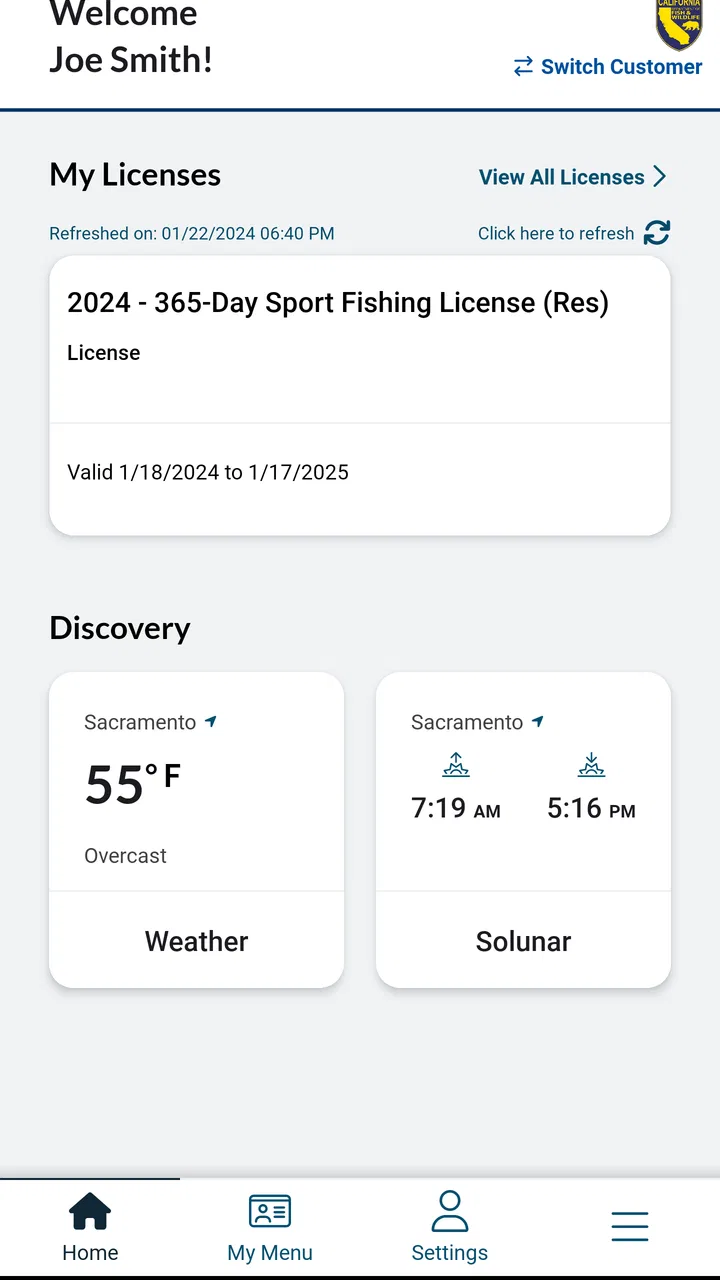
The CDFW License app is designed to simplify the process of purchasing and managing licenses for hunting, fishing, and other wildlife-related activities in California. It provides users with a convenient platform to access their licenses, check regulations, and receive updates from the California Department of Fish and Wildlife.
02Is the CDFW License app available for both Android and iOS devices?
Yes, the CDFW License app is available for download on both Android and iOS devices. Users can find it on the Google Play Store for Android and the Apple App Store for iOS, ensuring accessibility for a wide range of smartphone users.
03How secure is the personal information stored in the CDFW License app?
The CDFW License app prioritizes user security by implementing strong encryption methods to protect personal information. The app follows industry-standard practices to ensure that sensitive data, such as payment details and personal identification, are kept safe from unauthorized access.
04Can I use the CDFW License app without an internet connection?
While the CDFW License app requires an internet connection for downloading new licenses and updates, it allows users to access previously downloaded licenses offline. This ensures that users can still present their valid licenses even in areas without network coverage.
05What should I do if I encounter technical issues with the CDFW License app?
If you experience technical difficulties with the CDFW License app, it is recommended to first check for app updates that might resolve the issue. If problems persist, users can reach out to the support team through the app's help section or contact the California Department of Fish and Wildlife for further assistance.
Pros
- User-friendly interface for easy navigation.
- Quick license renewal process.
- Offline access to licenses.
- Detailed species information included.
- Secure payment options available.
Cons
- Limited customer support options.
- Occasional app crashes reported.
- Requires frequent updates.
- Some features need internet access.
- Limited compatibility with older devices.

CDFW License
Gallery